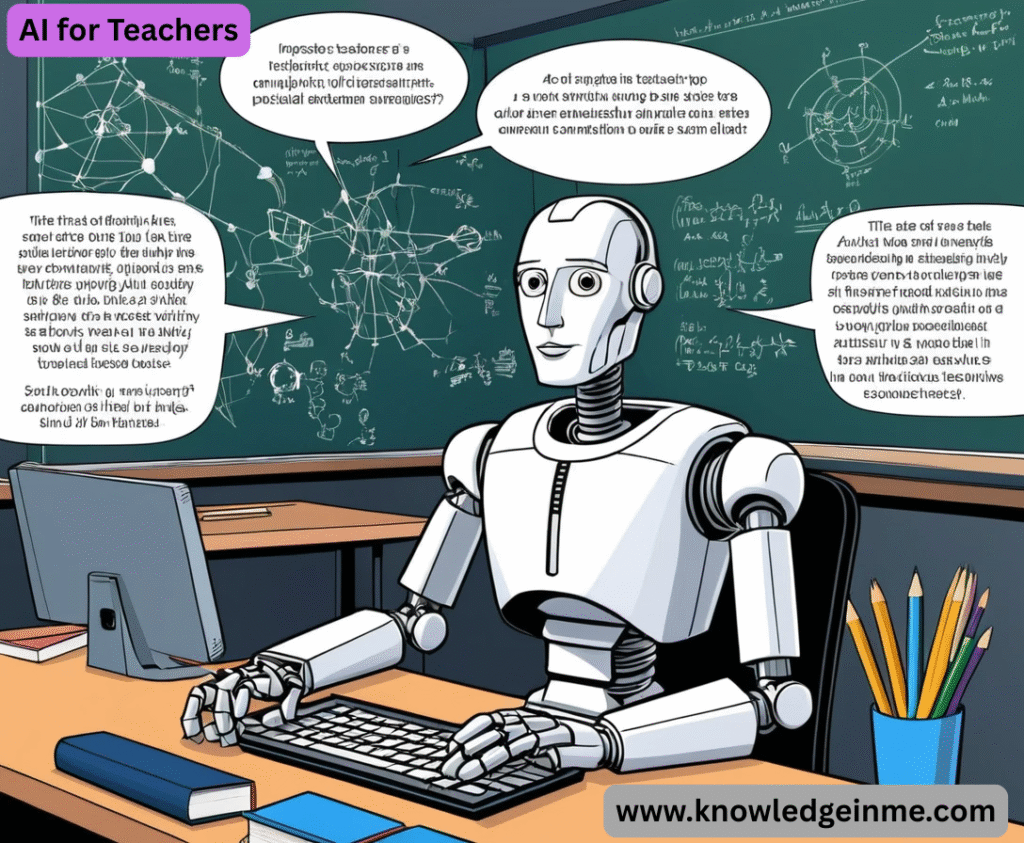

AI for Teachers Of course! This is an excellent and crucial topic. AI is no longer a futuristic concept; it’s a practical, powerful set of tools that can transform the teaching profession.
This guide is for teachers who want to understand and effectively use AI, whether they’re complete beginners or looking to deepen their practice.
Part 1: What is AI for Teachers? (The Mindset)
- At its core, AI in education is not about replacing teachers. It’s about automating administrative tasks, personalizing learning, and providing data-driven insights, freeing you up to do what you do best: inspire, mentor, build relationships, and guide deep learning.
Think of it as a Teaching Assistant that never sleeps.
Part 2: Key Areas Where AI Can Help (The “What”)
- Here’s a breakdown of the most impactful applications, from planning to grading to parent communication.
Lesson Planning and Resource Creation
- Generate Lesson Ideas & Outlines: Stuck in a rut? Ask an AI to “create a lesson plan outline for a 5th-grade science class on the water cycle, incorporating a hands-on activity.”
- Differentiate Materials: Create multiple versions of a text or worksheet at different reading levels. “Rewrite this passage about the Roman Empire for a 3rd-grade, 7th-grade, and 10th-grade reading level.”
- Create Worksheets & Quizzes: “Generate a 10-question multiple-choice quiz on photosynthesis for 9th-grade biology, with an answer key.”
- Find Analogies & Examples: “Give me a simple analogy to explain how neurons work to a 15-year-old.”
Assessment and Feedback
- Draft Formative Feedback: Paste a student’s essay paragraph into an AI and ask it to “provide constructive feedback on the thesis statement and evidence.” (Always review and personalize the feedback!).
- Create Rubrics: “Generate a 4-point rubric for assessing a persuasive essay, focusing on claim, evidence, reasoning, and language.”
- Design Exit Tickets: “Create three exit ticket questions to check for understanding after a lesson on fractions.”
. Differentiation and Personalization
- Generate Tiered Assignments: Create the same math problem at “emerging,” “proficient,” and “advanced” levels.
- Create Supplemental Materials: For a student struggling with a concept, ask an AI to “create a short, engaging story that explains the concept of supply and demand.”
- Support Diverse Learners: “Provide five strategies to help a student with ADHD stay engaged during a 45-minute history lecture.”
Administrative and Communication Tasks
- Draft Emails to Parents: “Write a friendly email to parents reminding them about the upcoming field trip, including what students need to bring.”
- Create Classroom Policies: “Help me draft a clear and positive classroom cell phone policy for a middle school class.”
- Generate Newsletter Content: “Write a 200-word summary of what my 4th-grade class learned in science this month, in a fun and exciting tone for parents.”
Professional Development and Creativity
- Brainstorming: “What are some project-based learning ideas for a unit on ancient Egypt?”
- Role-Playing: “Simulate a difficult conversation with a parent who is concerned about their child’s grade. How can I respond empathetically?”
- Research Summarizer: Paste a long academic article about a new teaching strategy and ask the AI to “summarize the key takeaways.”
Part 3: Practical Tools to Get Started (The “How”)
You don’t need a technical background. Many tools are free and easy to use.
Category 1: All-Purpose AI Chatbots (Your Go-To Assistant)
- ChatGPT (OpenAI): The most well-known. The free version (GPT-3.5) is very capable for most teaching tasks.
- Microsoft Copilot: Integrates with Bing search, which can provide more current information. Free to use.
- Google Gemini (formerly Bard): Great for tasks connected to the Google ecosystem. Free to use.
- Claude (Anthropic): Known for its long context window, great for analyzing long documents like student essays or curriculum guides.
Part 4: Important Considerations and Best Practices
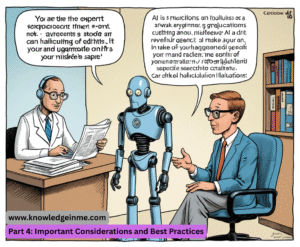
- You Are the Expert: AI is a tool, not a replacement. Always review, edit, and customize everything an AI generates. It can make mistakes (“hallucinations”) and lacks your professional judgment and knowledge of your specific students.
- Privacy is Paramount: Never input sensitive student data. This includes student names, ID numbers, grades, or any personal details. Use generic terms like “a 3rd-grade student” or “a student struggling with reading comprehension.”
- Check for Bias: AI models are trained on vast internet data, which can contain biases. Be critical of the content it produces, especially regarding culture, gender, and historical perspectives.
Academic Integrity & AI Detection: This is a two-sided coin.
- For Students: Have open conversations about the ethical use of AI. Discuss when it’s a helpful tool (e.g., brainstorming, editing) and when it’s cheating (e.g., writing the entire essay).
- AI Detectors: Tools like GPTZero claim to detect AI-written text, but they are notoriously unreliable and can falsely flag non-native English speakers. Focus on process-based assessments (e.g., drafts, presentations, in-class writing) rather than relying on detectors.
- Start Small: Don’t try to overhaul your entire practice at once. Pick one repetitive task (e.g., creating quiz questions, drafting email templates) and try using AI for it next week.
Part 5: Advanced Prompt Engineering for Teachers
- The key to unlocking AI’s power is learning to talk to it effectively. This is called prompt engineering. Think of it as giving clear, detailed instructions to a very smart but literal assistant.
The Anatomy of a Great Teacher Prompt:
- A powerful prompt often includes these elements: Role: Tell the AI who to be.
Context: Provide the background information.
- Task: State clearly what you want it to do. Format: Specify how you want the output.
- Tone/Audience: Define the style and who it’s for.
Bad Prompt:
- “Give me questions about To Kill a Mockingbird.” Good Prompt (Using the Anatomy):
Role: You are an expert 9th-grade English teacher.
- Context: My students have just finished reading Chapter 15 of To Kill a Mockingbird, where the lynch mob confronts Atticus at the jail.
Task: Create a list of 5 discussion questions that probe the themes of moral courage, mob mentality, and innocence.
Format: Present them in a bulleted list. - Tone/Audience: The questions should be thought-provoking but accessible for 14-year-olds.
Part 6: Sample Prompts for Everyday Teaching Scenarios
Copy, paste, and modify these for your own use.
For the Elementary Teacher: Creating a Social Story:
- “You are a kindergarten teacher. Create a simple social story for a 5-year-old about how to take turns on the swing. Use simple language and include feelings. The story should be 8 pages long, with one sentence per page.”
Generating Phonics Activities:
- “Create three fun, hands-on center activities for practicing the ‘sh’ digraph. One activity should be a sorting game, one should be a board game, and one should involve play-doh. List the materials needed for each.”
For the STEM Teacher:
Explaining a Complex Concept:
- “Explain the concept of gravitational waves to a 10th-grade physics student who is struggling. Use the analogy of a trampoline with a heavy weight in the center and a marble rolling around it. Keep the explanation under 300 words.”
Creating Real-World Problem Sets:
- “Generate 5 word problems for 7th-grade students applying the Pythagorean theorem to real-world scenarios. Include problems about ladder safety, navigation, and constructing a ramp. Provide the answer key with step-by-step solutions.”